

Installing and Removing an Oculus Rift S Left-Hand Controller in the Simulator Mount
Last updated 24 Oct 2026
How to Install a new Oculus Rift S left-hand controller in the simulator mount:
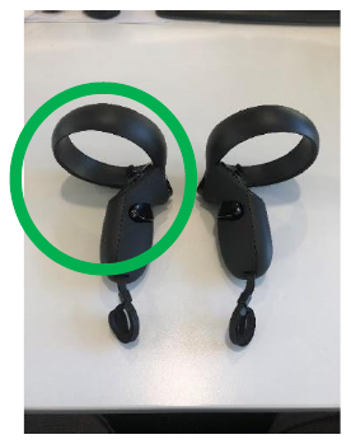
Open controller’s battery cover by sliding it downwards
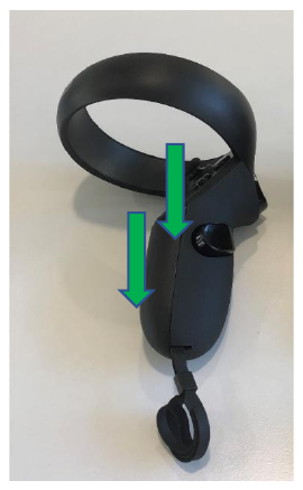
Once opened, install battery if required and pull the strap through the small slot located at the bottom of the controller
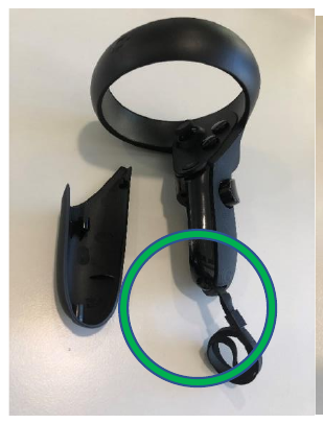
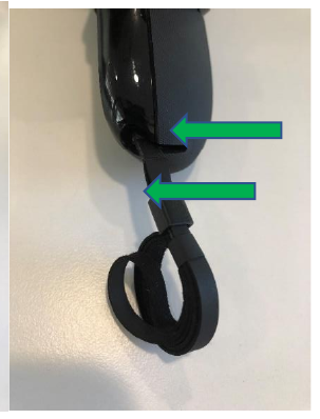
Put back the controller’s battery cover
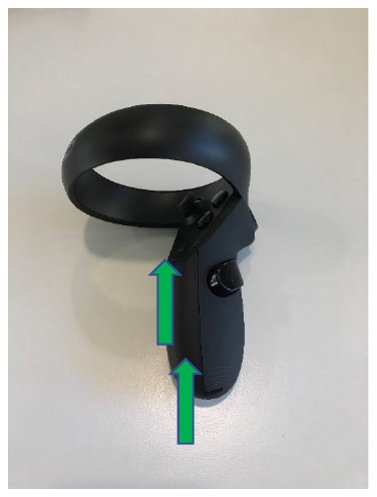
4. Place controller securely in the mount holder by sliding it in; ensure that the controller is oriented in the correct position with the sensor ring upwards and that it has been pushed in all the way.
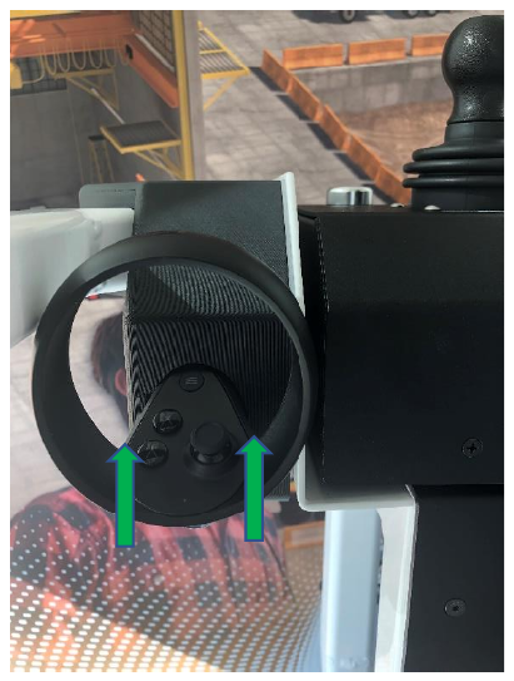
How to remove the controller from the simulator:
NOTE: The sensor ring is the most fragile component of the controller and can be easily damaged if removed or installed improperly. Never use the sensor ring to grip or hold the controller during installation or removal.
Grab the controller by the handle, and gently pull the controller out of the mount as demonstrated in the image below (if the controller is too tight, there is an access opening at the rear of the mount that allows you to use a finger to push it out)
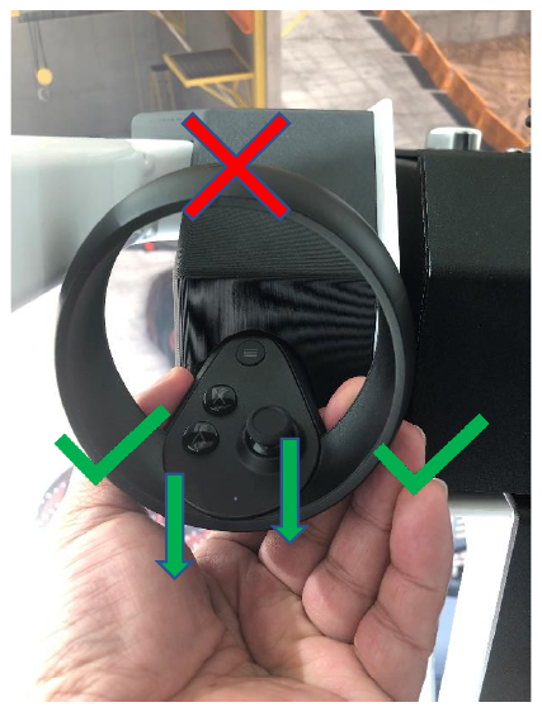
The controller is now removed from the simulator
If you encounter any issues, or have any questions, please contact SIMS at:
Email support@industrialsims.com
or
Call us at 1.888.446.1688 between the hours of 1am to 5pm MST.*
*Please have simulator serial number ready as it is required to verify your account